Cooking for yourself
Keep your favorites and regular groceries in reach, without setting up a larger household routine.
 Zeno Kitchen
From “what’s for dinner?” to done
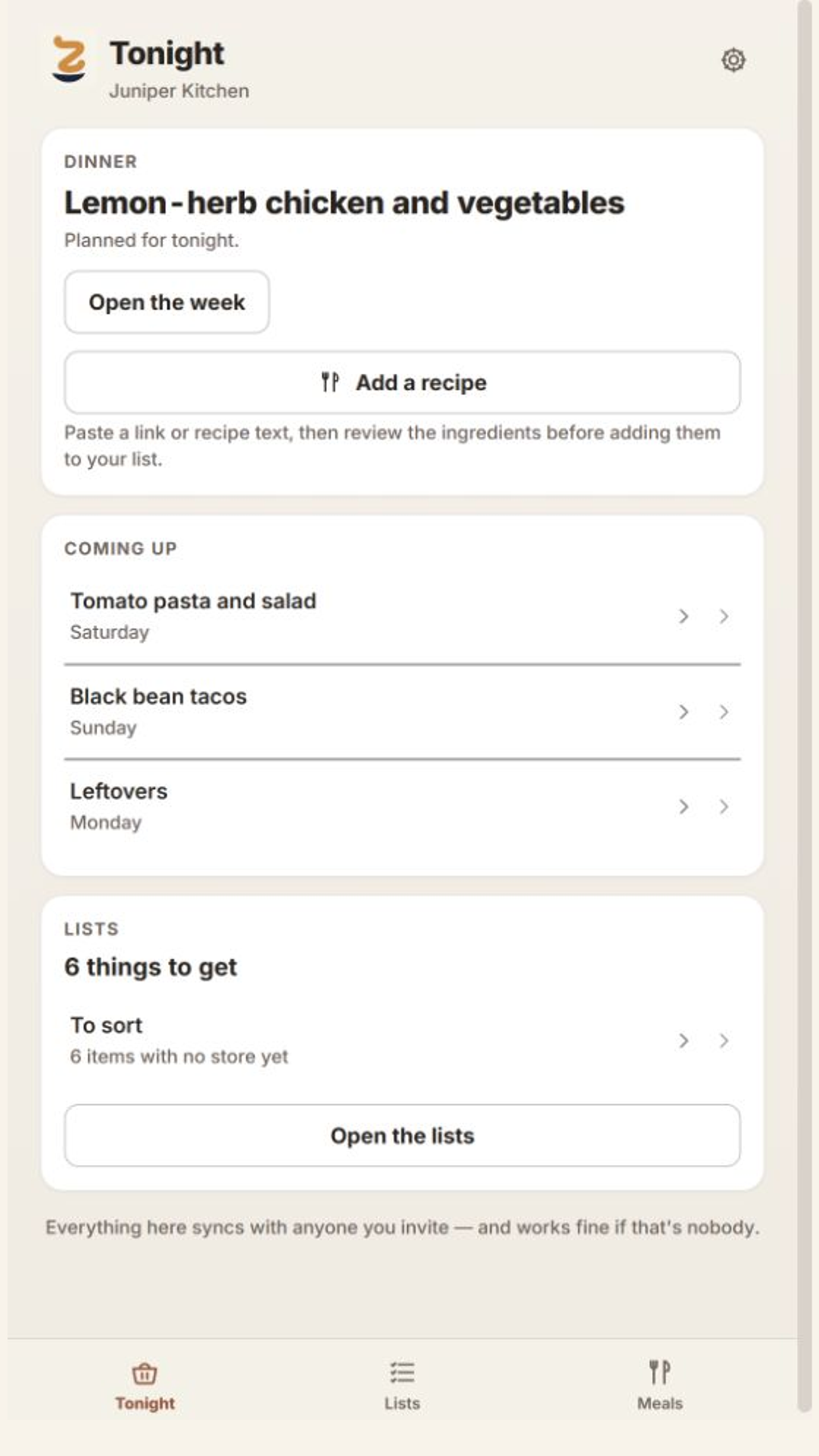
Keep tonight’s meal, the recipes you return to, and the groceries you need in one calm place. Paste a recipe, review its ingredients, and add just what you need to your grocery list.
Included in Zeno Home · Also available on its own
Start on the web · Free features available · No web checkout
From a recipe to your shopping list
Keep the recipe you want to cook. Review what goes into it. Put only what you need on the list.
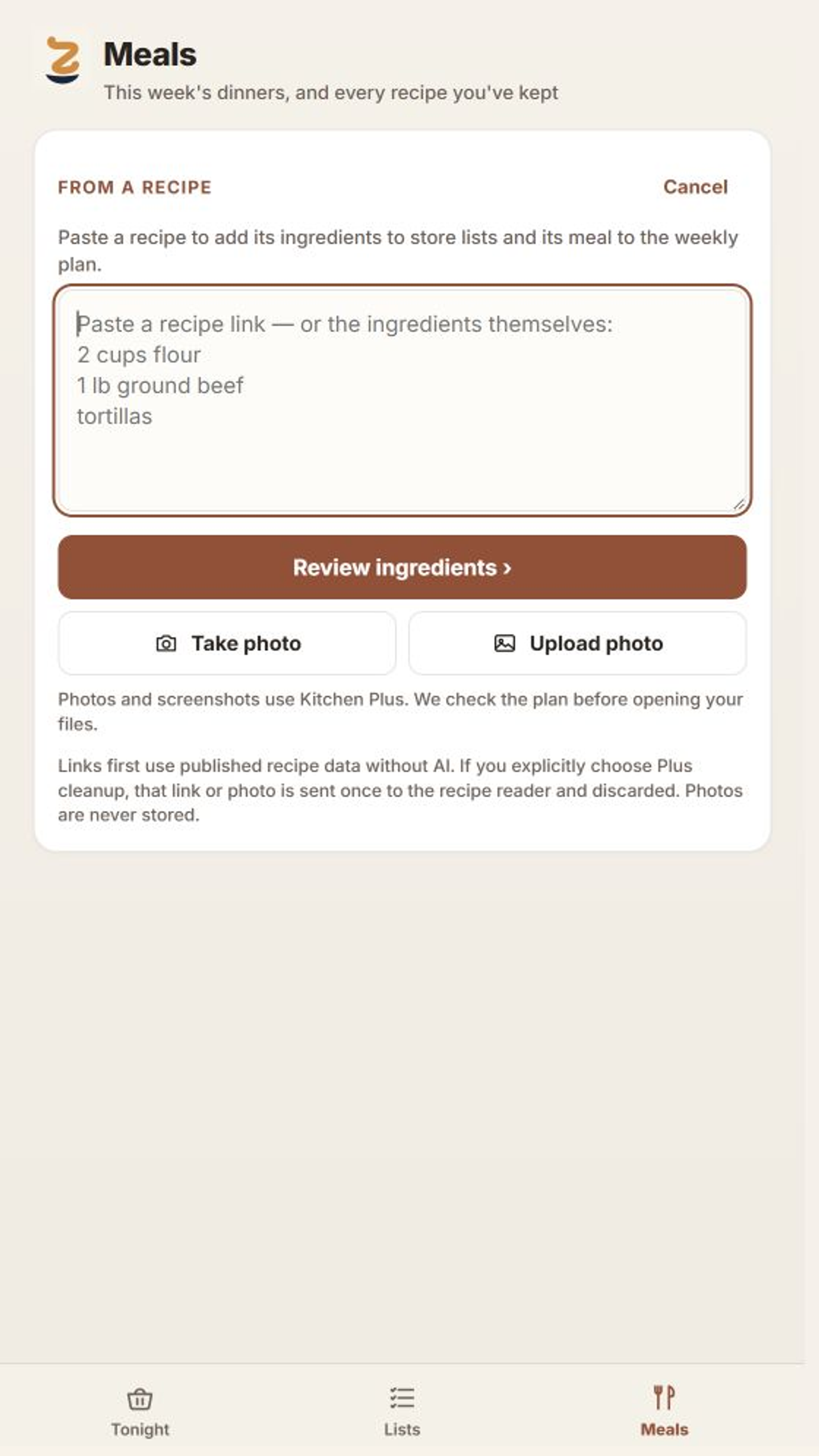
Step 01 · Recipe
Open Add a recipe and paste a recipe link or ingredient text. Photo and screenshot capture are available with Kitchen Plus.
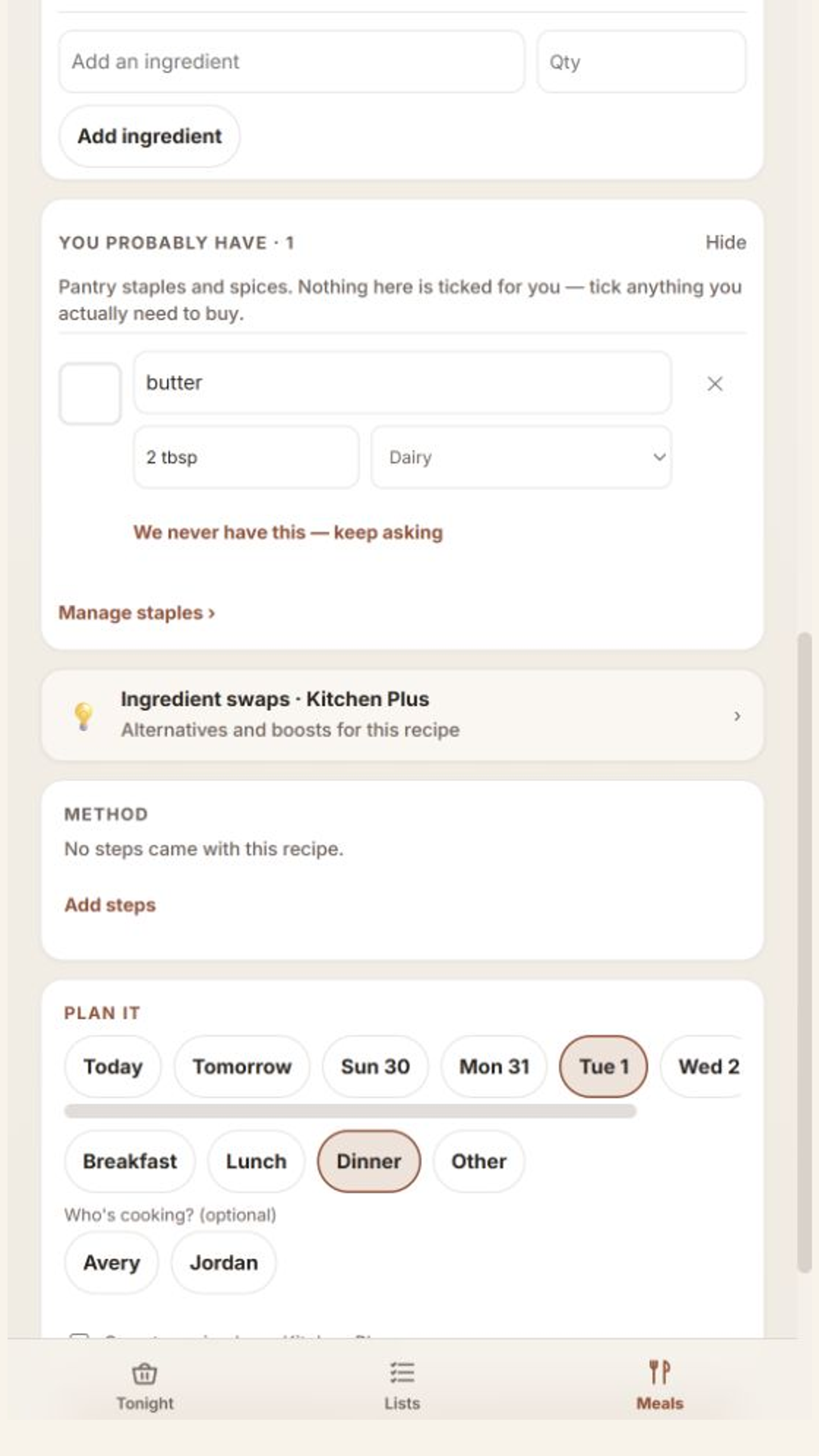
Step 02 · Ingredients
Review ingredients and quantities, choose stores, and tick what needs buying. Leave pantry items unchecked when you already have them.
Step 03 · Grocery list
Apply your reviewed selections to the grocery list. Group by store and check items off while shopping. You can also put the meal on your weekly plan.
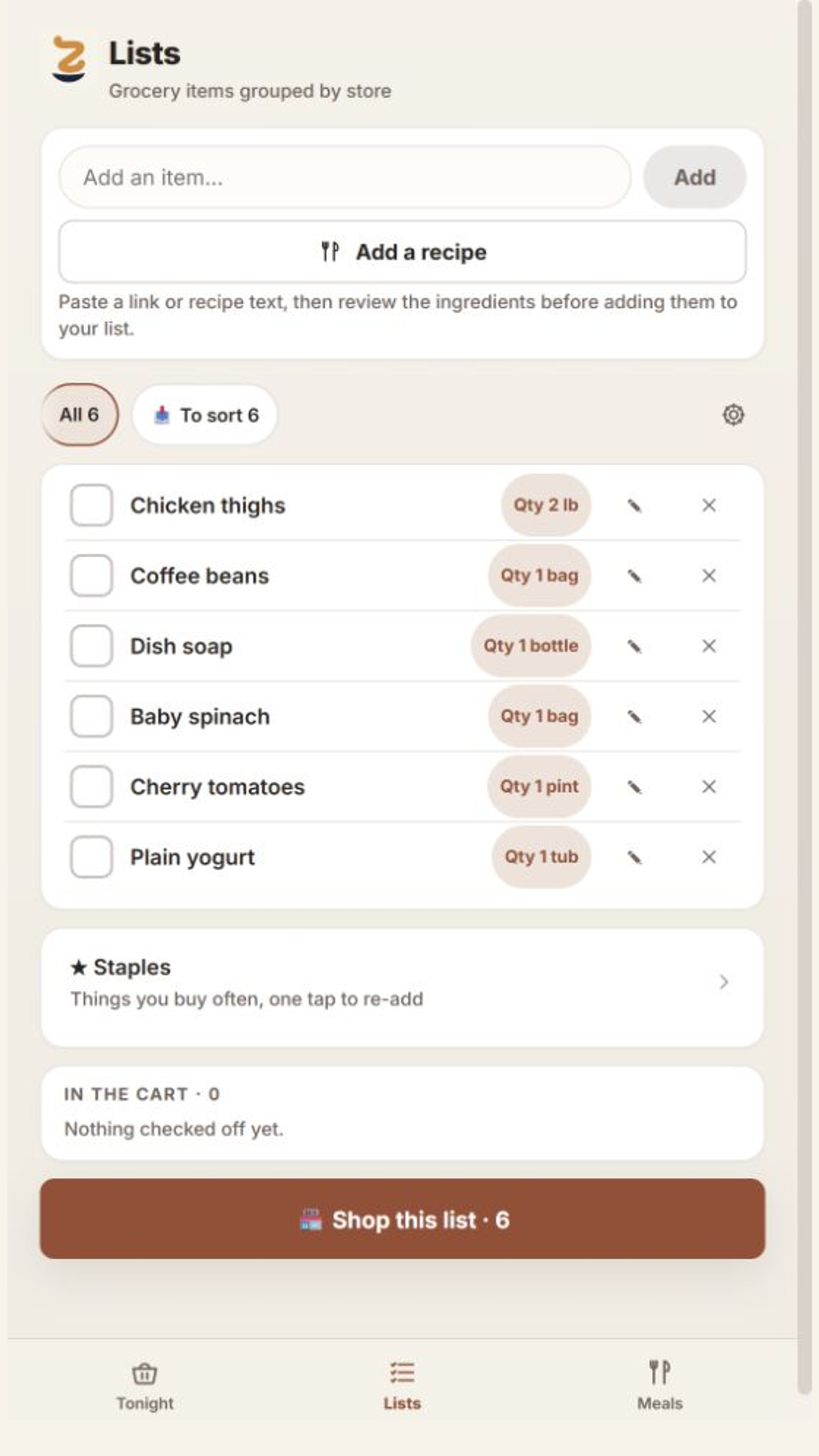
Real sample-data screens illustrating each stage, from separate examples. Tap to enlarge. You review and select ingredients before they are added; paid features are labeled in the app.
Inside Zeno Kitchen
Actual screens from the standalone Kitchen app. Tap an image to see the details.
Dinner and the coming week, without digging through a recipe collection.
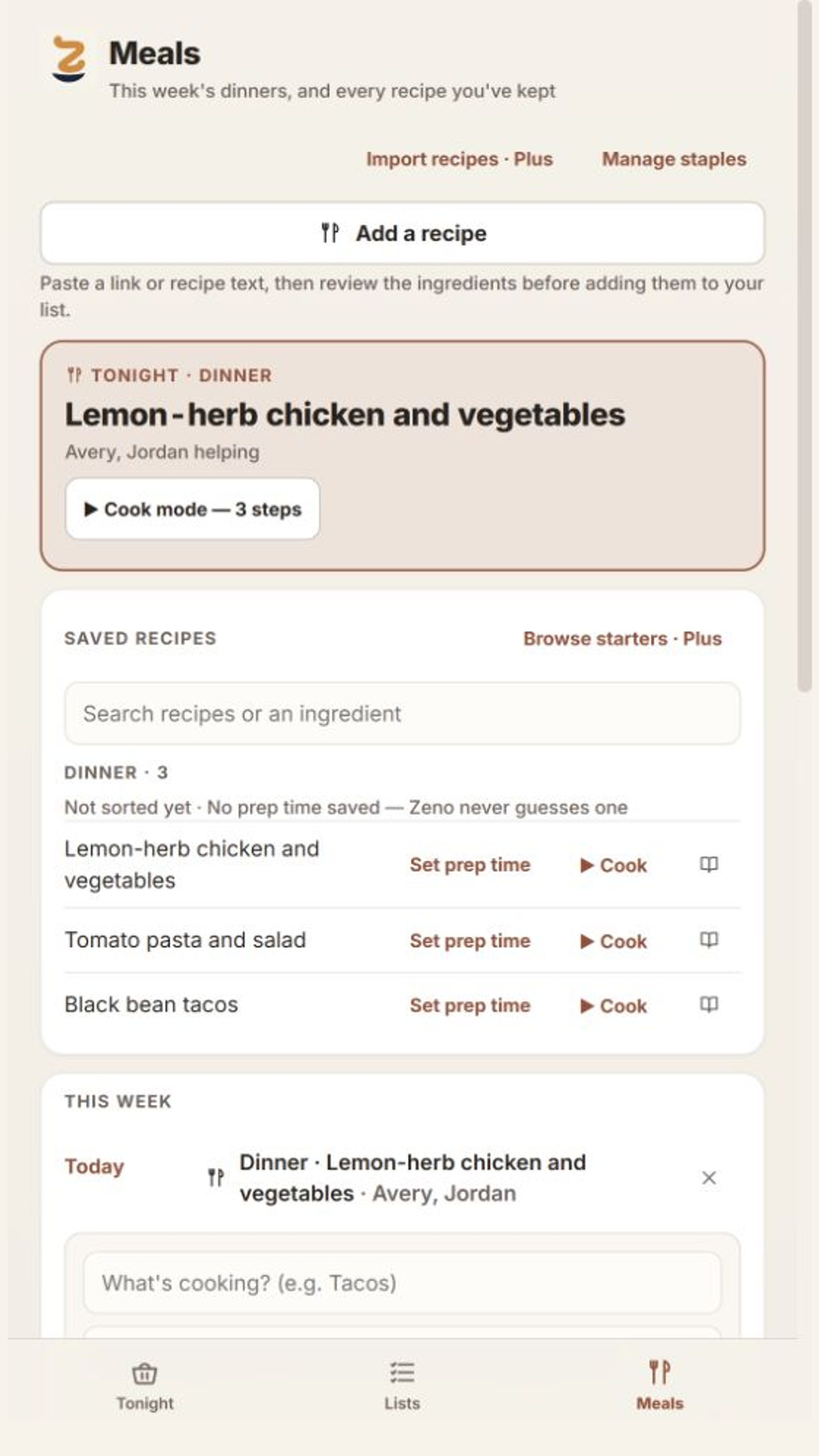
Return to saved meals and the plan for the week.
Screens from real preview builds using the sample Juniper Kitchen. Plus features are labeled in the app; the latest layouts may differ. No personal household data is shown.
Start with your own kitchen
You can keep it small: tonight’s dinner and tomorrow’s shopping. Add more when it saves you time.
Some features require Kitchen PlusKeep your favorites and regular groceries in reach, without setting up a larger household routine.
Put dinner plans and the grocery list where the people cooking and shopping can find them.
Zeno Home includes Zeno Kitchen. Use the same Zeno account to focus on meals, recipes, and groceries here. Zeno Home Plus includes Kitchen Plus, too.
A few useful answers
The web app is available now. Android and iOS releases are being prepared; store downloads are not available yet.
No. Zeno Kitchen is included in Zeno Home, but you can also use Kitchen on its own for meals, recipes, and groceries. Choose Zeno Home when you also want household tasks, calendars, and notes.
Zeno Home Plus includes Kitchen Plus; you do not need both subscriptions. Kitchen Plus is also available as a standalone plan. Free features are available on the web. New Plus subscriptions will be offered through Apple and Google Play when the mobile releases are ready. There is no web checkout. Active household access, including an eligible founder grant, is recognized on the web.
Open Add a recipe and paste a recipe link or ingredient text. Review the ingredients, edit names and quantities, and tick only what you need to buy. Choose stores, then apply your selections to the grocery list. Ingredients are not selected for you, so you can leave out what you already have. You can also choose a day and meal for the weekly plan. Photos and screenshots require Kitchen Plus.
No. You choose what belongs on the list and what to buy. Any retailer handoff is a separate step; Zeno Kitchen does not place an order for you.
Email msiljander@zenoone.com and tell us whether you use Android or iPhone. Mobile testing availability is still being prepared.
Open your kitchen. Start with tonight.